The dashboard, and what needs your attention
The list at the top of the dashboard, what puts things on it, and the bell.
The dashboard opens with Needs your attention: every condition in the books that a person has to decide about, in one list.
What appears there
- Overdue invoices, with what they are worth.
- Bills past their due date.
- Budgets at or near their limit, with how much of the month is left.
- Loan and lease payments that have fallen due.
- Anything the ledger check has found: an account that does not agree with the register behind it.
Every part of the app reports into that one list, so nothing hides in a corner of a screen you do not open.
The bell
The same list is one click away from any screen, and carries a dot when there is something on it.
-
Open the Dashboard. The attention list is the first thing on it.
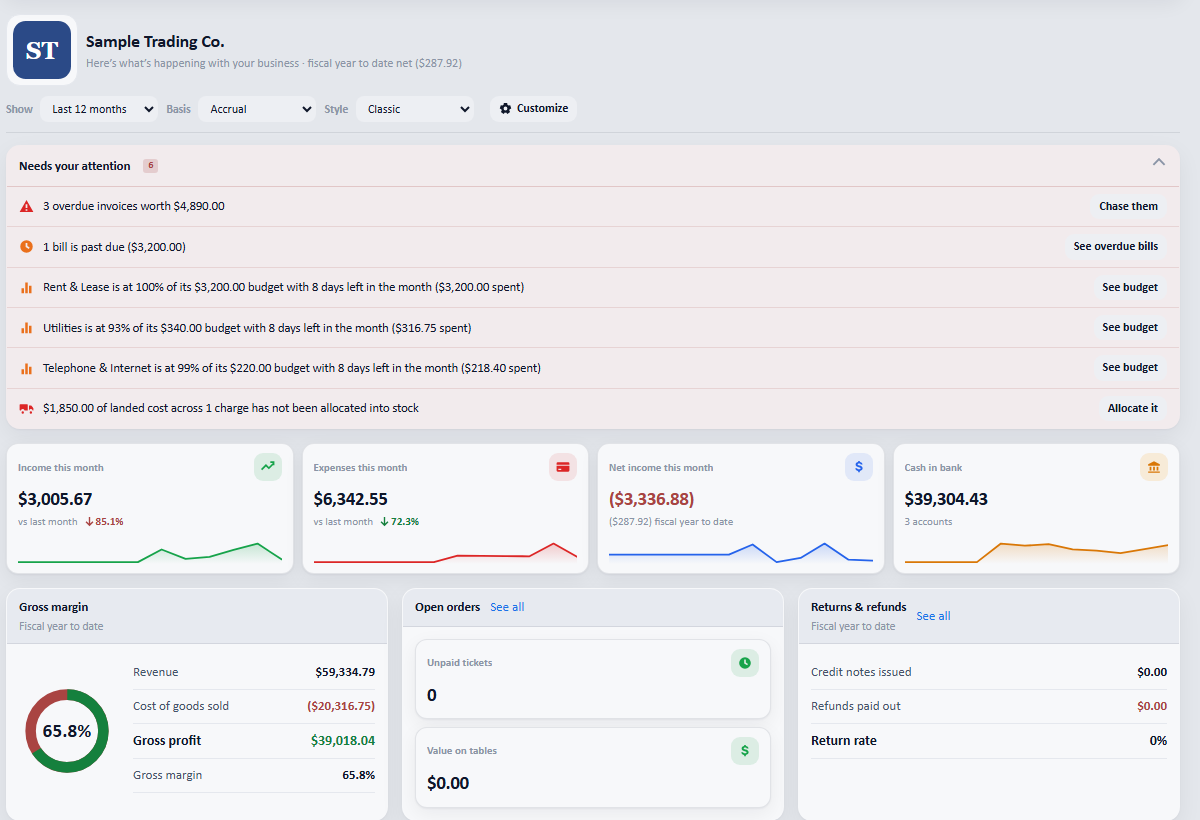
Overdue invoices, bills past due, budgets at their limit, and loan and lease payments that have fallen due: with a link on each to deal with it.