Goods in transit
Stock you have been billed for that has not arrived yet.
When a supplier bills you before the container lands, tick stock not yet received on the bill. The cost goes to Goods in Transit instead of Inventory, and the goods do not appear on the shelf.
Receiving it
- Products and stock → Goods received lists everything at sea.
- Press Receive on a line and enter what actually arrived.
- A part delivery is normal: receive 20 of 40 and the other 20 stay in transit.
Receiving moves the cost out of Goods in Transit and into Inventory.
The check on the page
The register is compared with the Goods in Transit account, and the page reports the difference. Zero means the two agree.
-
Open Products and stock → Goods received to see everything billed but not yet arrived.
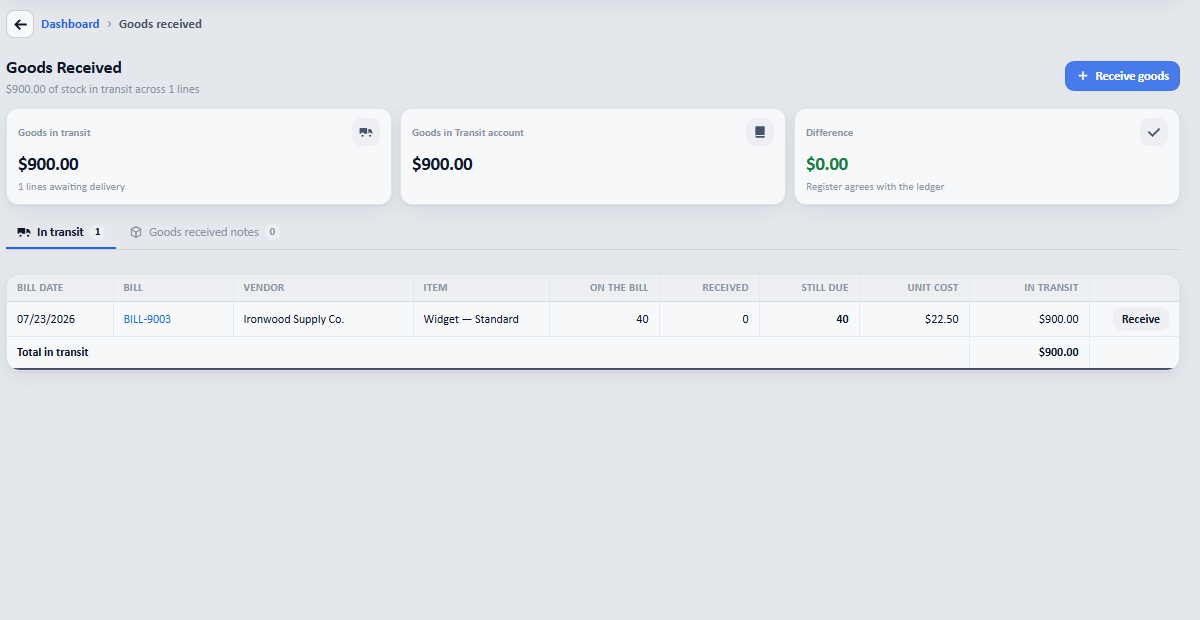
What is at sea, what has been received against it, and what is still due: with the register agreeing with the Goods in Transit account.