Bulk edits and imports
Changing many records at once, and bringing data in from a spreadsheet.
Acting on many rows
Tick rows on a list and a bar appears. From it you can bulk update, set one field across everything ticked, and, depending on the list, bulk print, void or delete.
Typing many expenses
Bulk add on the expenses list gives you a grid: each row is its own expense with its own date, payee and account. Blank rows are ignored, so ten rows on offer never means ten rows saved.
Importing
Import maps your spreadsheet columns to Elvira’s fields. Before anything is written it shows what will go in and what cannot, with the reason. Afterwards you can download the rows it could not take, fix them, and import again.
Items, assets, journals, bills, expenses, invoices and contacts can all be imported.
-
Open a list: Expenses here: and tick the rows you want to act on. A bar appears with what you can do to all of them.
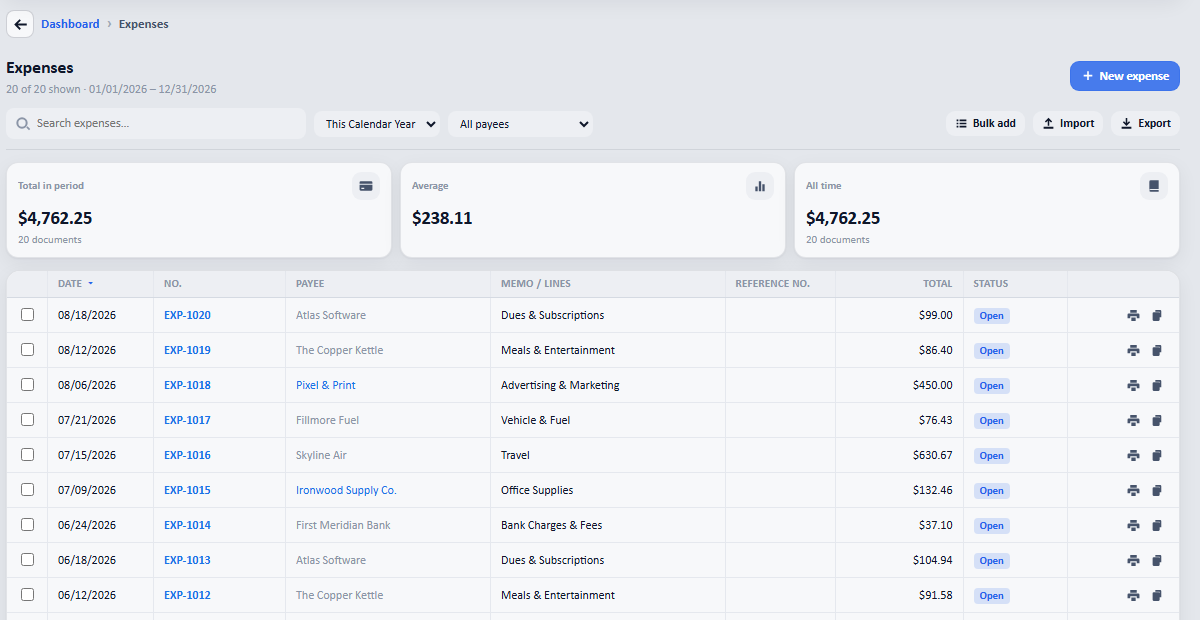
Bulk add for typing many at once, and Import for bringing them in from a spreadsheet.