Serial numbers and warranty
Tracking individual units, and answering a warranty question from the serial alone.
Tick track serial numbers on an item, and give it a warranty length in months. From then on, serials are recorded as units come in and go out.
Looking one up
Go to Products and stock → Serial numbers and type or scan the serial. You get who supplied it, when it arrived, who bought it, on which invoice, and whether it is still under warranty: with the days remaining.
The register
The whole list can be filtered by item, by status (in stock, sold) and by warranty state (active, expiring, expired). There is a warranty report you can hand to a service desk.
-
Open Products and stock → Serial numbers.
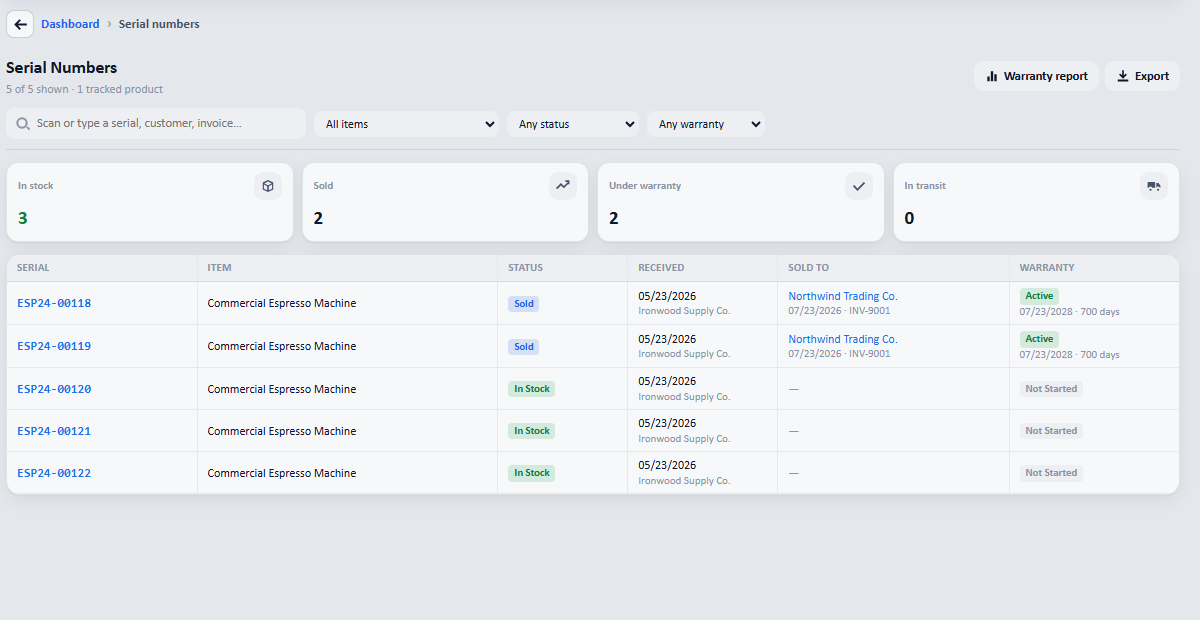
Every serial, in and out. The tiles count what is in stock, what is sold, and what is still under warranty. -
Type or scan the serial into the box at the top.
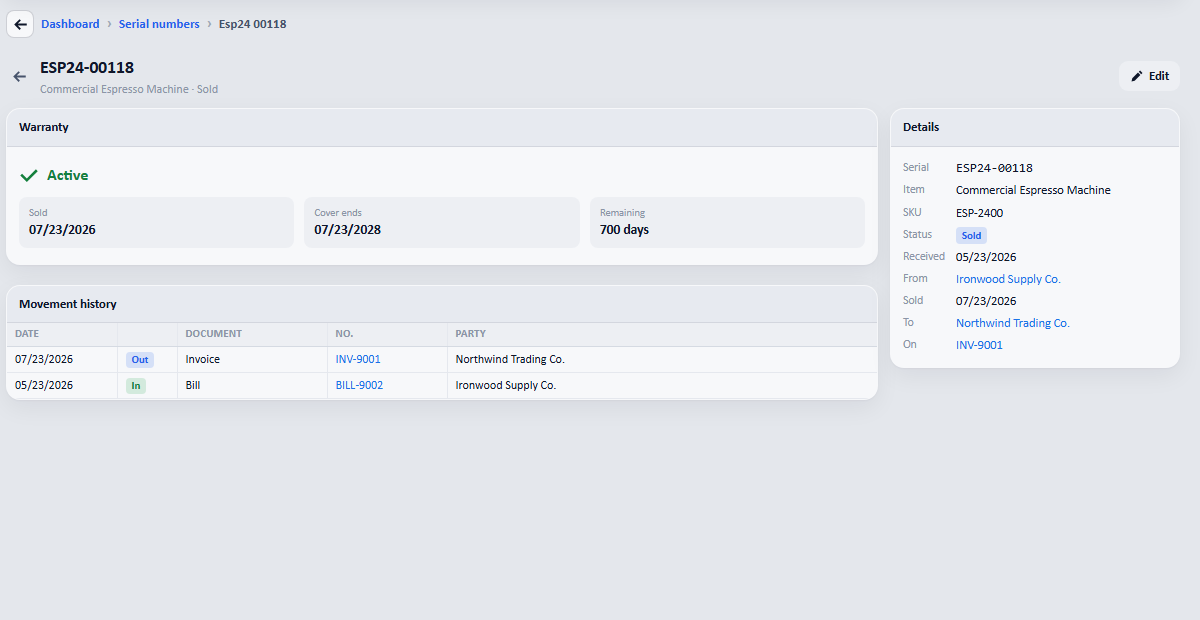
One serial: who supplied it, who bought it, on which invoice, and the warranty state with the days remaining.
Filtering by expiring is how you find the machines whose cover runs out next month, before their owners do.