Statements and chasing payment
Sending a statement, and letting Elvira chase late payers for you.
Open a customer and use Statement to print one, or Share to send it. Share builds the message: the balance, then every open document with its date and what is left on it: and offers WhatsApp, email or copy.
WhatsApp carries the message text. To send the document itself as a file, use Share file where the device offers it.
Chasing automatically
Elvira can email late payers on its own. It is off until you switch it on, and nothing is sent until you do.
-
Open the customer from Sales → Customers. Everything they owe and every document is on one page.
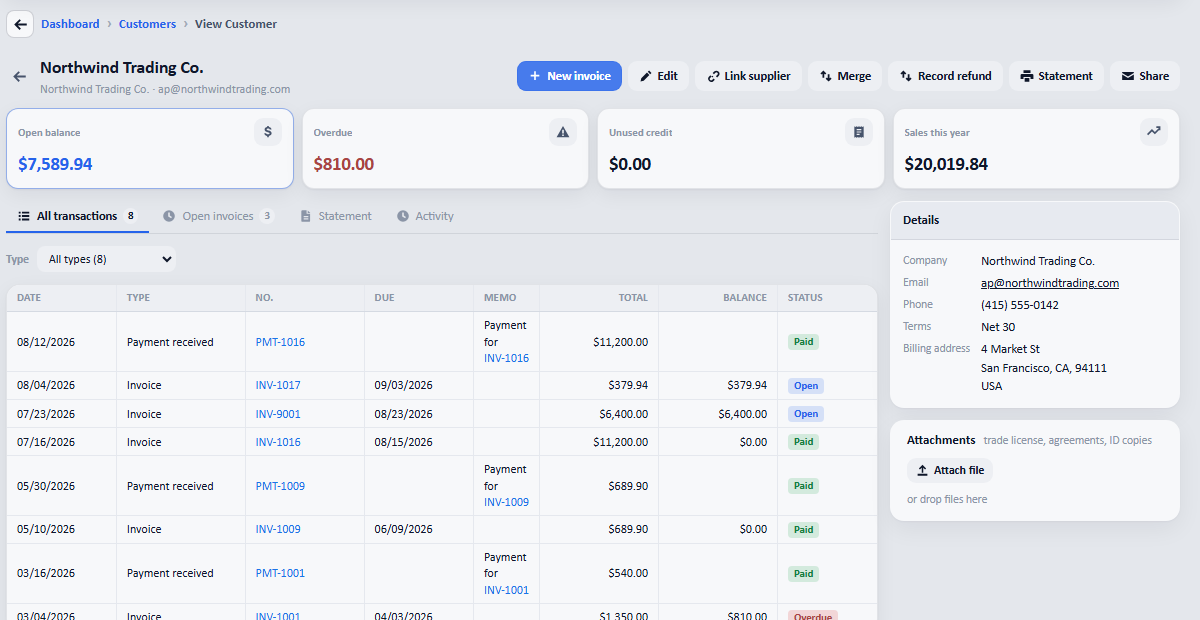
The open balance, what is overdue, and the whole history in one place. -
Press Share to send the statement. Elvira writes the message: the balance, then every open document with its date and what is left on it.
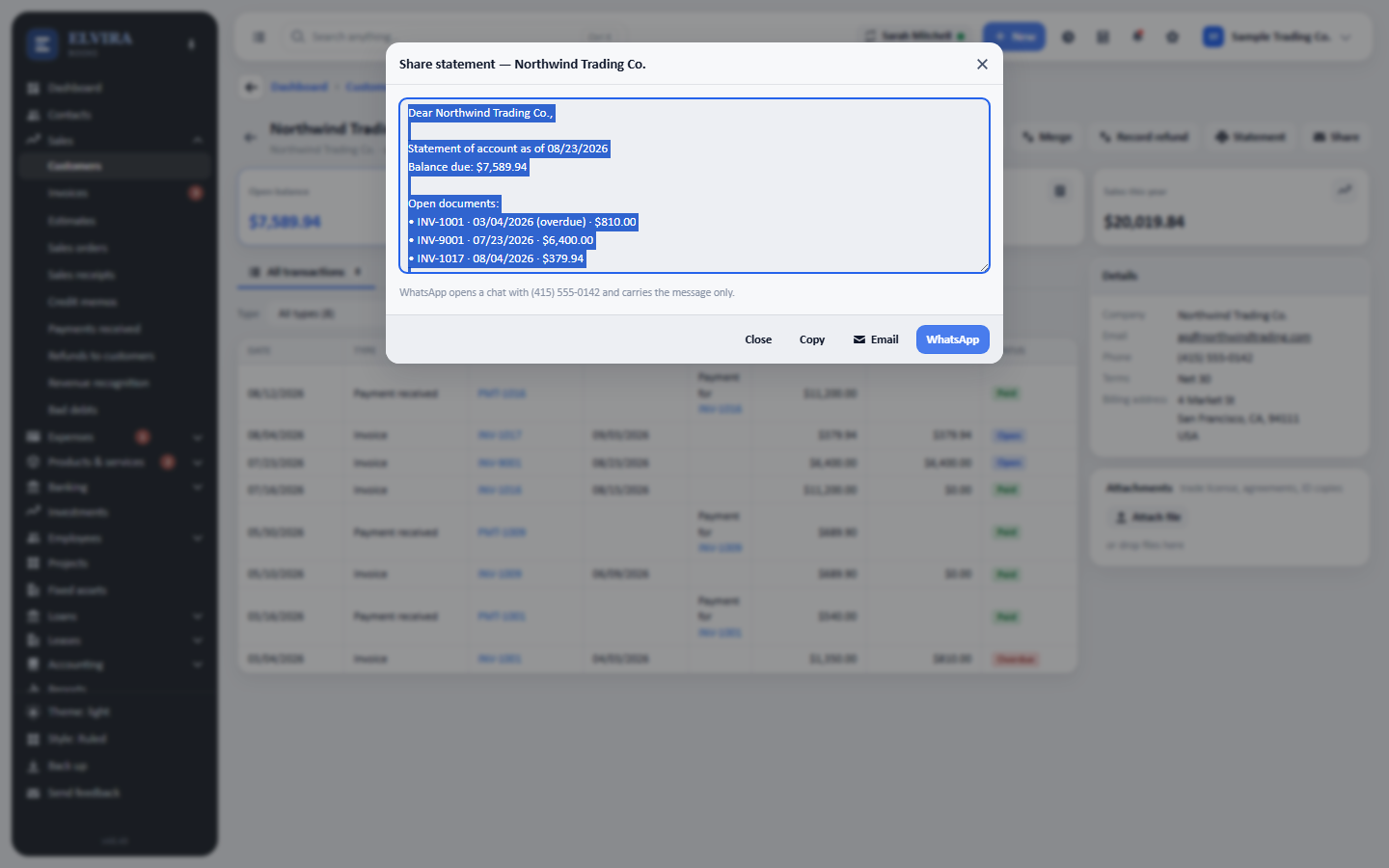
WhatsApp, email or copy. WhatsApp carries the message text; Share file attaches the document itself where the device supports it.