Count your fixed assets by scanning
Printing asset tags, then doing the year-end count with a scanner or a phone.
From the asset register, Print labels produces a tag for each asset carrying a Code 39 barcode, in three sizes, with your company name.
Doing the count
- Open Fixed assets → Physical count.
- Scan each tag as you go. Found and missing update as you walk.
- You can leave the page and come back: the count is saved.
- Finish it, and each asset keeps a record of the count it was in.
Counting posts nothing to the books. A count is evidence; what you do about a missing asset is a separate decision.
-
Open Fixed assets. The register lists everything you own, at cost and at book value.
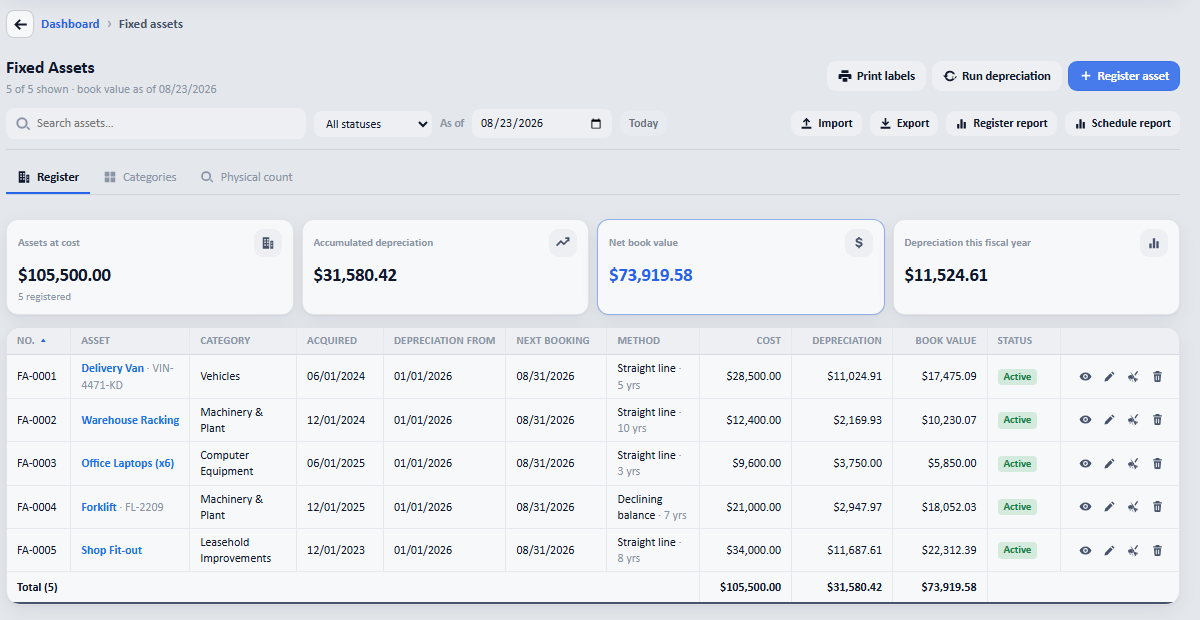
The register, with Print labels for the tags and the Physical count tab beside it. -
Switch to Physical count, set the date and press Start counting. Then walk round and scan.
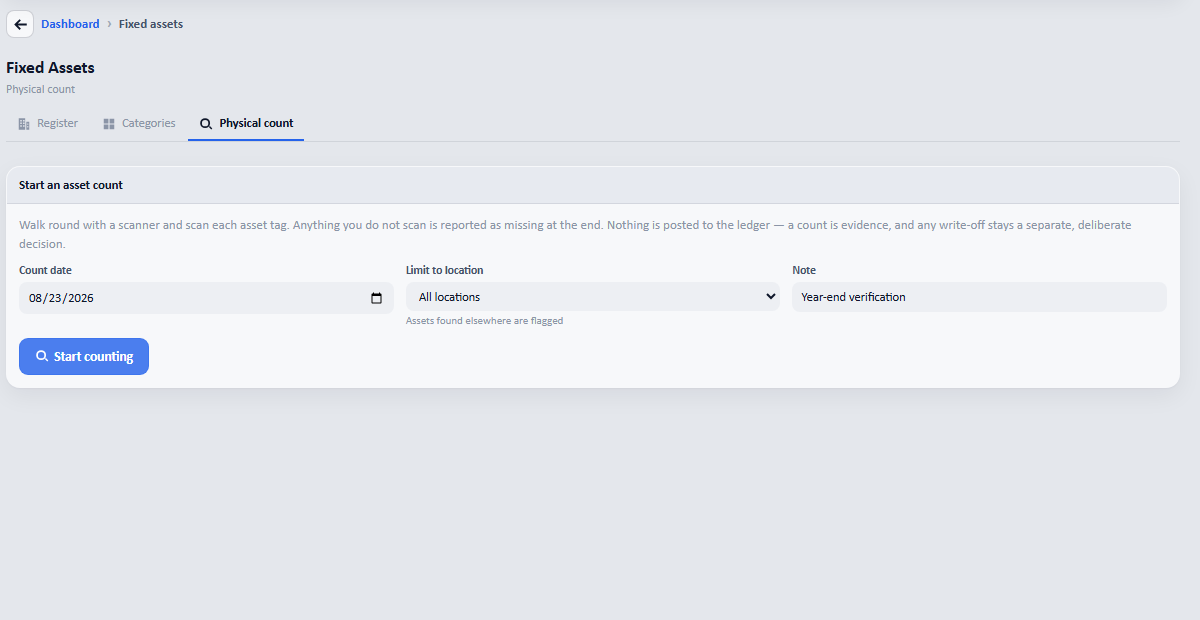
The screen says it plainly: nothing is posted to the ledger: a count is evidence, and any write-off stays a separate decision.