Landed cost: freight and duty into the goods
Getting shipping, duty and clearance into the cost of the stock they belong to.
Freight is part of what your stock cost you. For Elvira to treat it that way, the account it is billed to has to be marked as a landed cost account. That is the step people miss, so it is the step this starts with.
Setting it up, once
-
Open Accounting → Chart of accounts and find your freight, shipping, duty or clearance account.
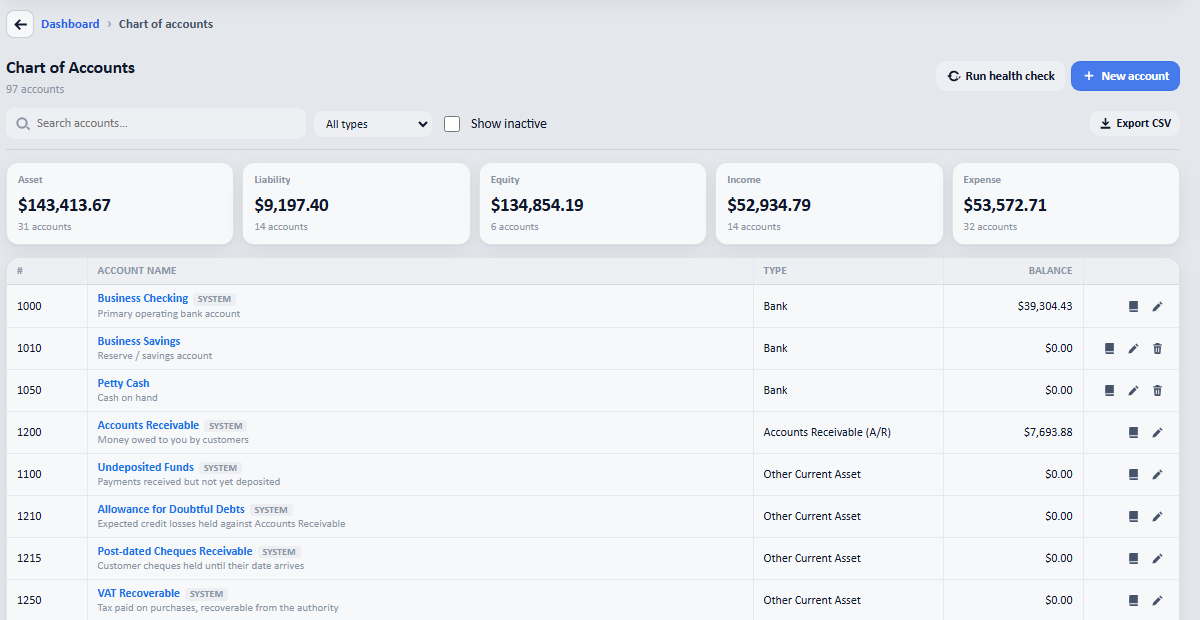
The chart of accounts. Any expense account can be marked, not just one named freight. -
Open it and tick costs booked here are landed costs. Nothing else changes: bills post to it exactly as before.
-
From then on, any bill hitting that account appears under Products and stock → Landed costs, waiting to be allocated rather than quietly expensed.
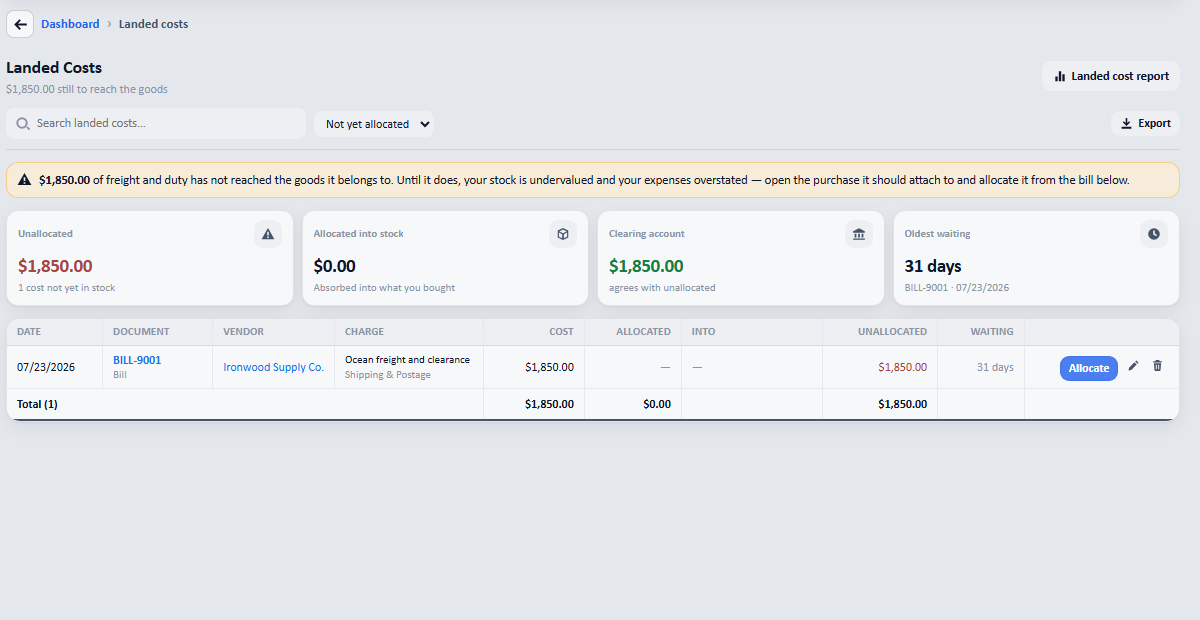
A freight bill that has not reached the goods yet: named, aged, and with the clearing account agreeing with the unallocated total.
Allocating it
Press Allocate on the row and choose the purchase the charge belongs to, then how to spread it: by value, by quantity, by weight, by volume, or by hand. It goes into the unit cost, so the margin on every later sale is right rather than flattering.
What the page is checking
The clearing account should equal the unallocated total. When the two disagree, something else has posted to that account and the page says so instead of leaving you to find it. Everything unallocated is aged, so a charge from three months ago cannot sit unnoticed.