Units, packs and barcodes
Selling the same product as a piece, a pack and a carton: each with its own barcode.
An item has a base unit, the one stock is counted in, and any number of larger units above it, each with a factor.
Adding a unit
- Open the item and use Add unit.
- Give it a name (Pack, Carton), a factor (how many base units it contains), and its own barcode.
- Scan that barcode at the counter and it sells as that unit, taking the right quantity off stock.
Parent and child items
If you already have the pack as a separate item, it can be turned into a unit of its parent. The stock it holds moves across at the factor, so nothing is lost in the change.
Importing a catalogue
A whole catalogue of parents and packs can be imported from one sheet, with the parent name, the unit, what it contains and the barcode on each row.
-
Open Products and stock → List of products and services and open the item you want to add a unit to.
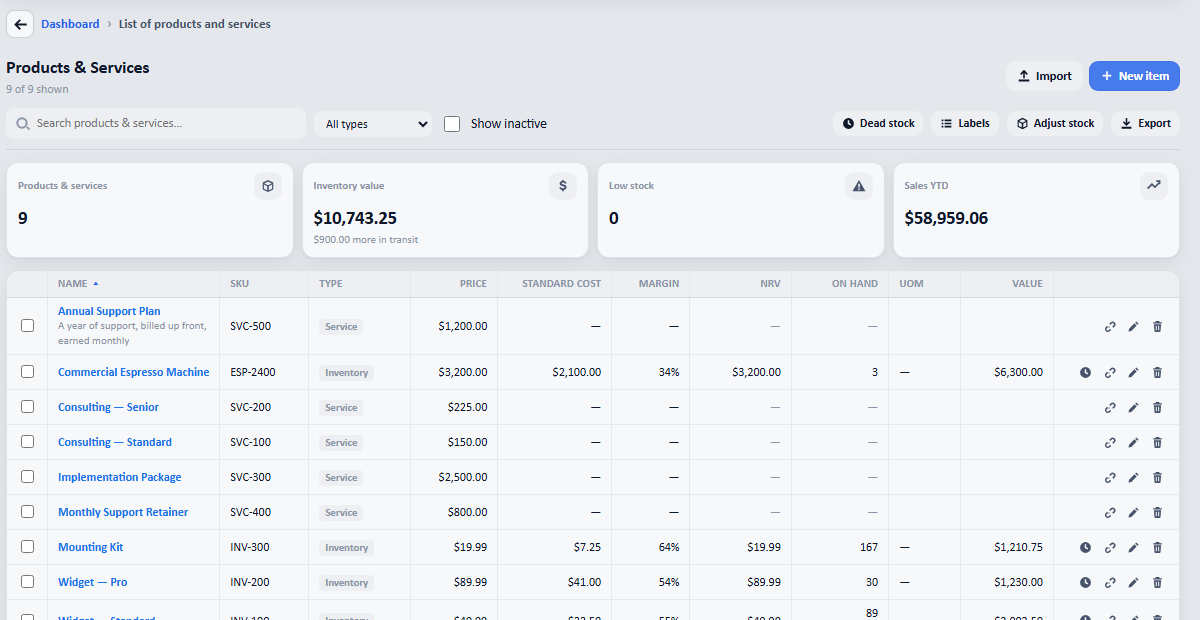
The products list. The UOM column shows the base unit and any larger ones above it.